Live timing tower
Eight switchable data columns — gap, interval, manufacturer, positions gained, last lap, best lap, pit lap, speed. Two visual packages and six color schemes.
Windows desktop app for iRacing league broadcasts
Run a one-person league broadcast like a network. Live timing, race graphics, replay control, and camera focus — all driven from a single race-control window, with OBS overlays that update themselves.
Windows 10/11 · Requires iRacing and OBS Studio 30+. Billing and license delivery handled by Gumroad.
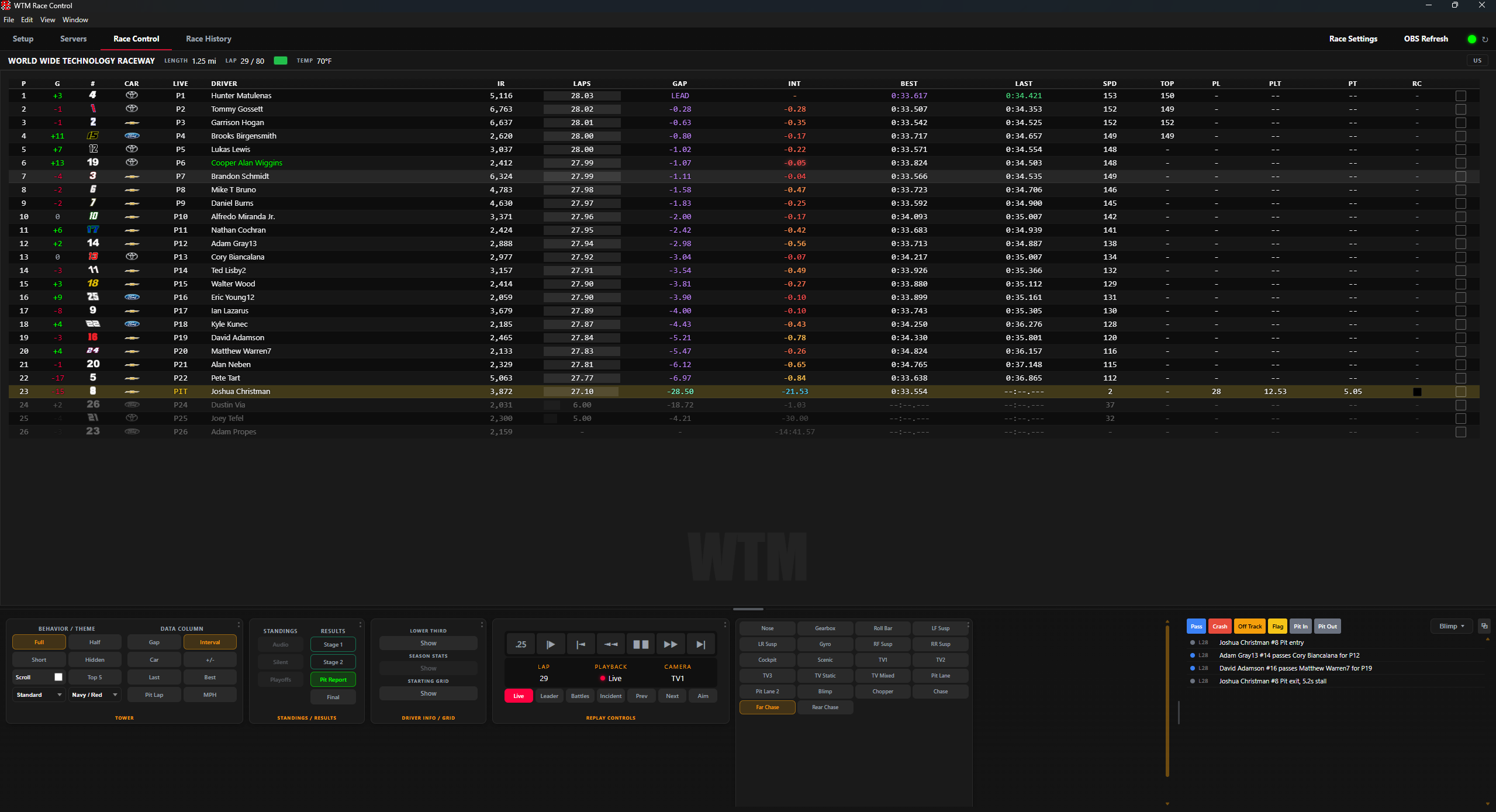
Race control
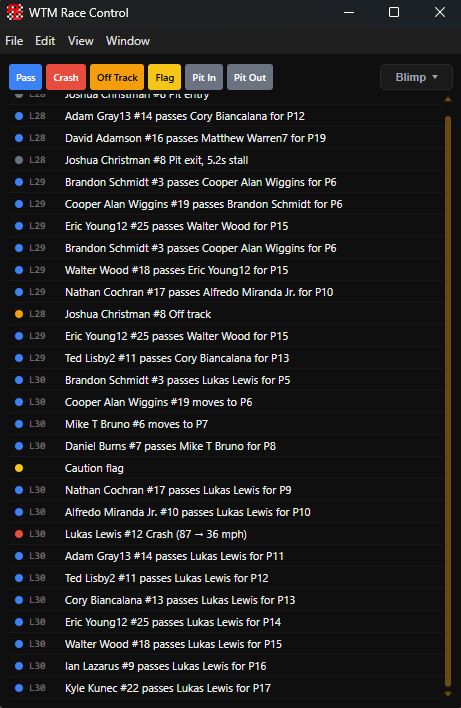
The event feed logs the race while you commentate. Click any entry and the replay jumps back to it on the camera of your choice — no scrubbing through the timeline while the field is under caution.
Broadcast graphics
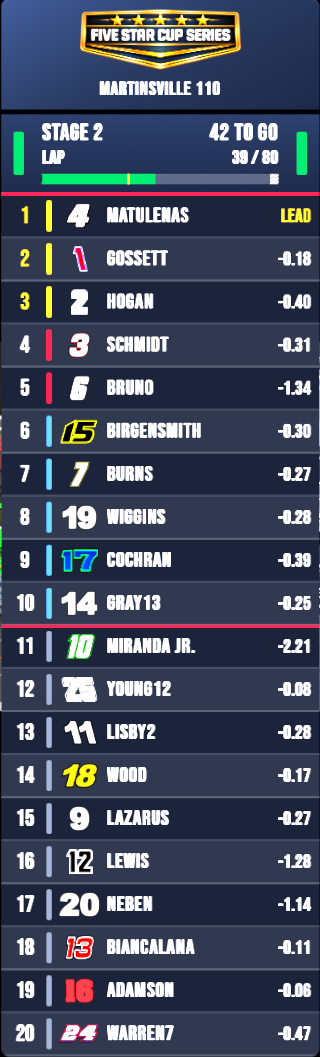
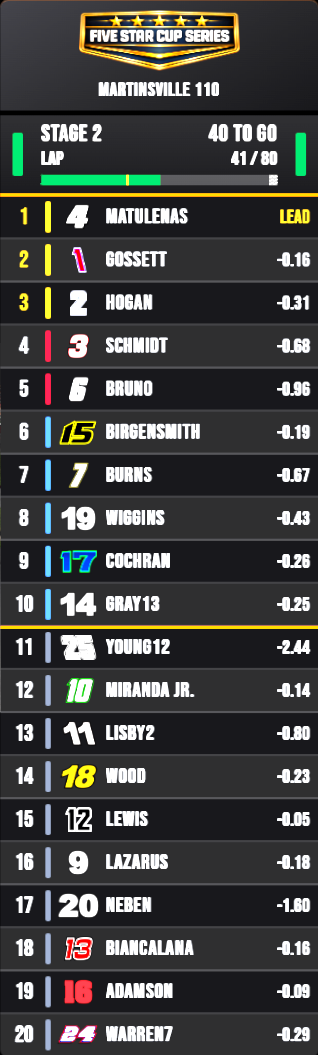
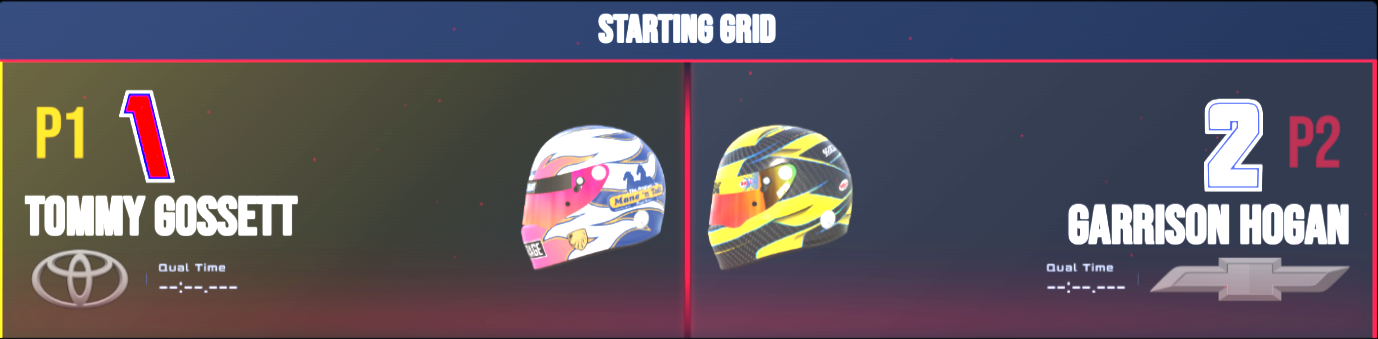
A timing tower that sorts on real on-track progress, so a pass shows the moment it happens. Stage results, race results with points, pit reports, and the starting grid — triggered from the launcher or automatically at the right lap.

Eight switchable data columns — gap, interval, manufacturer, positions gained, last lap, best lap, pit lap, speed. Two visual packages and six color schemes.
Stage results slide in as drivers cross the line. Race results carry a full points breakdown. The pit report tracks stall times and positions gained.
Every overlay is served from a single browser-source URL. Set it up once, then refresh everything from the launcher with one button.
Every completed race is saved with results, stage points, laps led and bonus points, so you can go back to any night of the season.
Built for race night
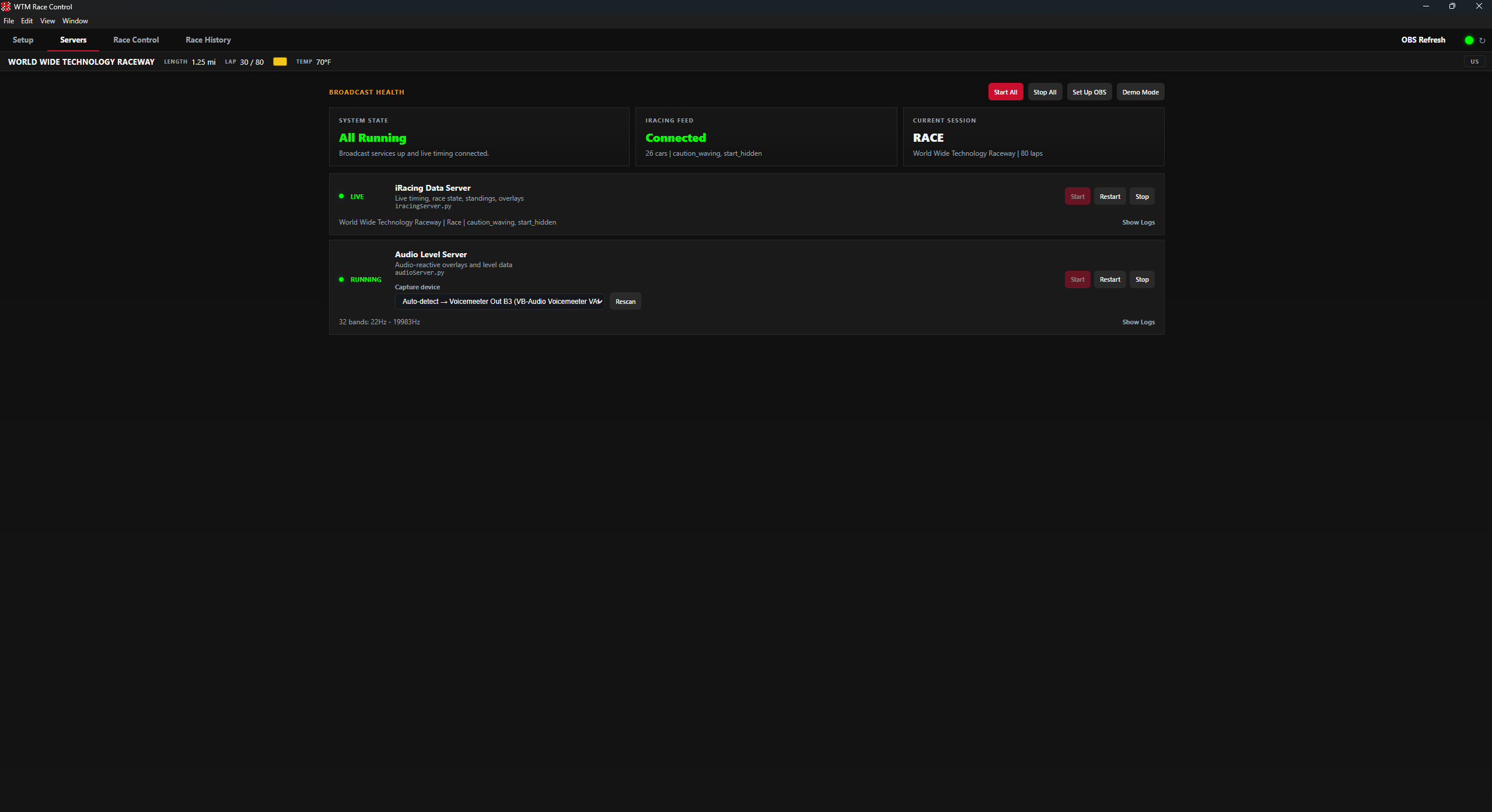
The launcher starts its own local servers and shows their health at a glance. If the data server drops it restarts itself, and if the interface ever crashes it reloads without taking the servers down. Demo mode runs a scripted race so you can build your OBS scenes without iRacing open.
Get started
$5 a month, $30 for six months, or $60 a year. One subscription activates two machines, and it keeps working offline for a week if your connection drops, so a bad network never stops a show.
WTM Broadcasting is an independent third-party tool. It is not affiliated with, endorsed by, or sponsored by iRacing.com Motorsport Simulations, NASCAR, or any vehicle manufacturer. iRacing telemetry is read using the simulator's official SDK.